Recently I have been doing an experiment on making long-form podcast content callable. It is a little like an Agent for podcasts, or a question-and-answer assistant based on semantic search that can locate a specific line. It also lets listeners send feedback back to the creative team. I borrowed content from Overseas Unicorn only for this experiment and sharing~
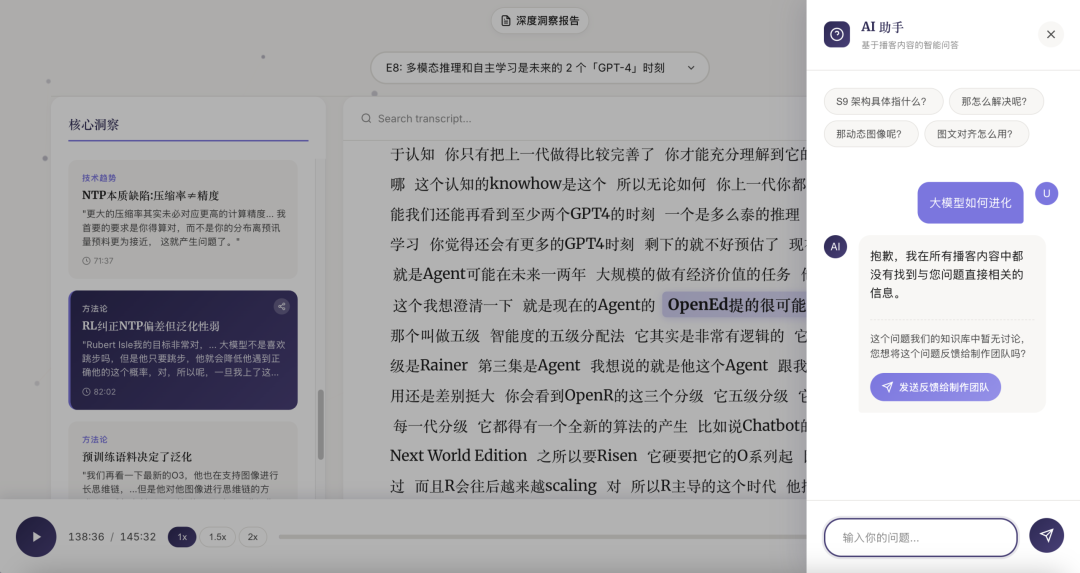

I wrote about the idea more than two months ago in this article. Yes, now I can make it happen! It is only a simple MVP, and there are still accuracy problems with the search results.
At first I thought this MVP would be quite straightforward.
The subtitles already have timestamps. Click a line and the audio should start at that moment. It is fine if the page is a little longer; scroll with the wheel and choose where you want to begin listening.
But reality was not like that at all.
The first thing that felt wrong was subtitle jumping.
While debugging, I got tangled up with a very strange thing.
Claude kept saying the code logic looked completely correct. It even went to test in the browser itself. But every time I tested the interface, no matter where I clicked, playback went back to the beginning of the audio.
A small detour: watching a coding agent debug an interface really brings out my maternal instinct. Seeing the mouse click, and “Agent is needing your input” 🥹—so cute! Though “getting DOM” breaks the feeling a little hahahahaha. I mean Antigravity here, because the Claude I use cannot run in a native browser. It can only operate a browser through MCP. That is how I unlocked the use in the image below 👇
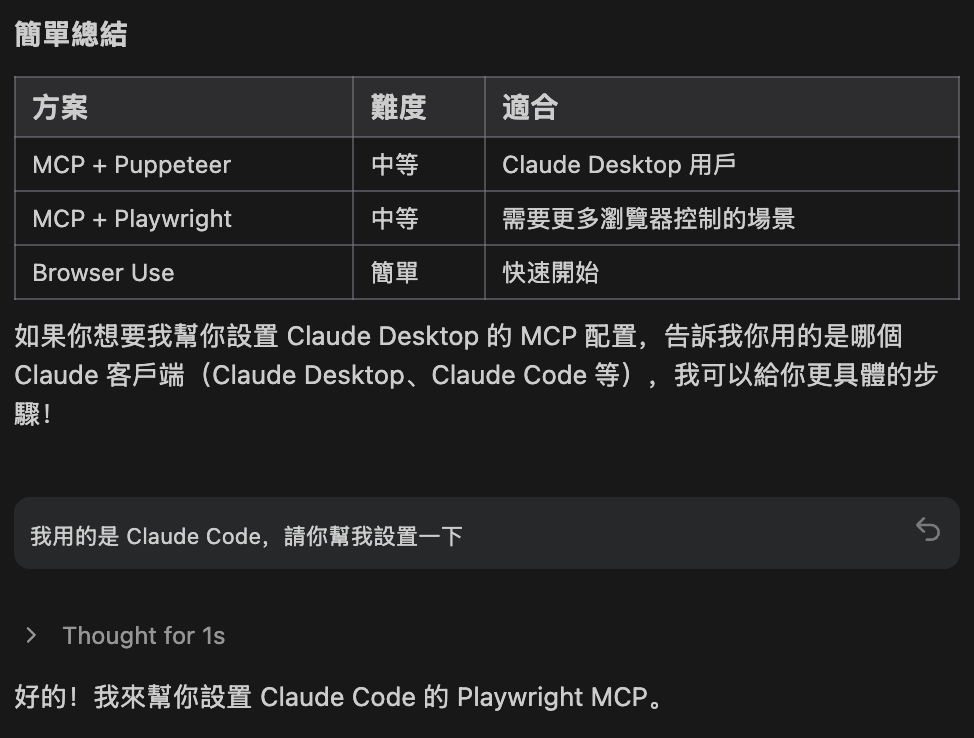
Then I understood that Antigravity can operate a browser directly because it uses Playwright, an automation tool. So what would happen if Claude's MCP were connected to Playwright? We will see. OK, back to the story—
I was so confused that I even wondered whether it was lying to me. Was the timestamp the problem? I looked at the JSON subtitle file, and it was fine. I opened the developer tools too, and the result matched what I was seeing…
After struggling with it for a long time, Claude suddenly asked me how I had opened the server, and which server I had opened.
I said: the server Antigravity opened… Oh. The port Antigravity opened was not using a server that supports range requests.
If a server cannot read bytes from the middle of a file, then “play from a certain time” does not exist at the system level.
I was angry for half the day. What? What even is range? After all that, it was only a question of changing the HTTP server? :(
Yes, an HTTP server that supports range requests. That was a new idea for me. I learned something. It is interesting.
After fixing the subtitle issue, there was one more discomfort: scrolling.
When I used the mouse wheel, only a few specific areas could scroll. If the cursor was not in those areas, the whole page would not move at all. To move it, I had to drag the scrollbar at the side. It felt very unnatural.
I described this to Claude and explained what I wanted: when I use the mouse wheel, the whole page should scroll even if the cursor is not inside a scrollable area.
It changed things twice, but neither change worked. Then I went to Antigravity.
Its change did make the whole page scroll. Functionally, the problem was solved.
But when I actually used it—
The scrolling was so slow that it made me want to collapse. It was more like a ninety-year-old person walking (sorry, that is a stereotype, but that was honestly how I described it then… I had no other words), maybe even slower than a turtle. It did not feel like native browser scrolling at all.
So I went back to Claude and described what was happening now.
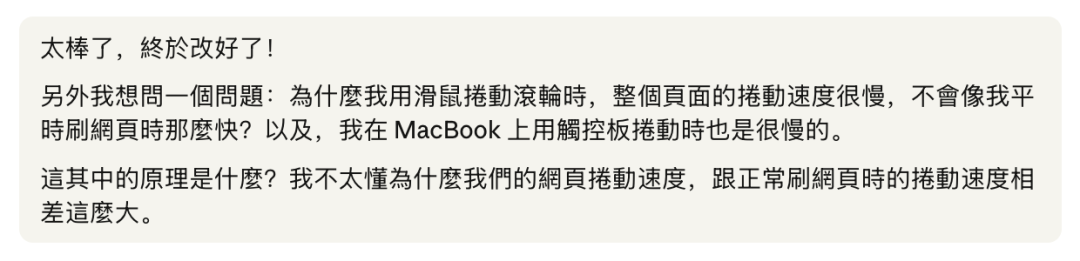

This time, Claude understood immediately.
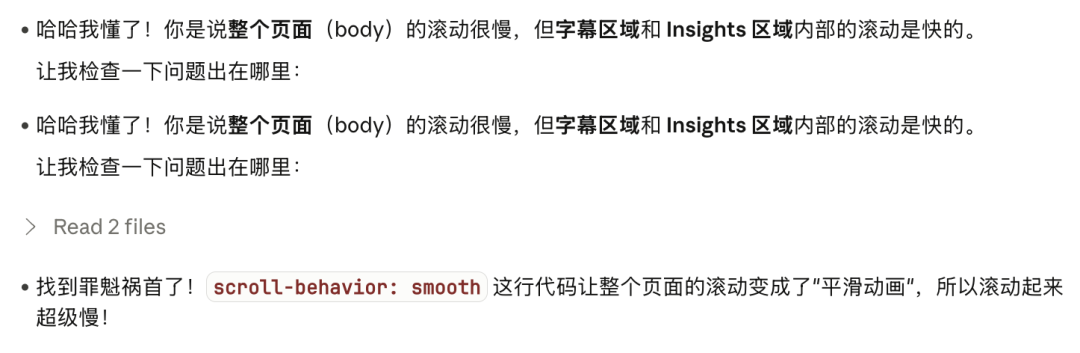
It checked the code and found one line that had turned scrolling into an animation. After deleting that line, the page immediately went back to native browser speed and feel.
After these two things, I realised that what humans (me) think is a clear problem description may not sound clear to an agent. The question is how to make a problem visible to a coding agent.
For the scrolling issue, my description may have pointed in too many directions: scroll areas, page structure, event passing, browser defaults. Claude had no obvious place to start.
After Antigravity's change, scrolling had a clear direction. It became something the code could explicitly take over, and the behaviour was more clearly pointed at.
Once a problem becomes clear to an agent, the fix may take only a few seconds.
So learning how to shrink a problem's search space is something those of us without a technical-industry background need to learn when vibe coding.
And range servers are more backend knowledge. What I wanted should, in theory, look the same when previewed on any local port. The real issue was which server I used. If I chose the wrong server, the same code could behave differently in preview. That is something I need to make clear with a coding agent before starting a server.
Why did I not learn a little more back then? But… where would I have started? And why would I have learned it? Hmm… that is a question. 🧐
P.S. This idea only needs an idea at the beginning: what product to make, what the interface should look like, what functions it needs, how those functions relate and interact. Even if it begins as a simple need, once you start, everything after that slowly appears. The person doing it, like me, is then pushed into thinking about how to deal with all kinds of things along the way. With coding agents, it is easy to build an MVP. The important part is the problems you meet and how you solve them… in the end, go get it done!